Executive Desks & Offices
Veneer, Solid Wood & Stone: A Guide to Premium Desk Materials
At the executive level, the material makes the desk. What distinguishes wood veneer, solid wood, and stone, and how to...
Read more →
Matching Sets
Executive Desks & Offices
Which home office upgrades actually transform how you work? The high-impact changes — chair, desk height, monitor, lighting — ranked, with budget tiers and the ergonomics that matter.

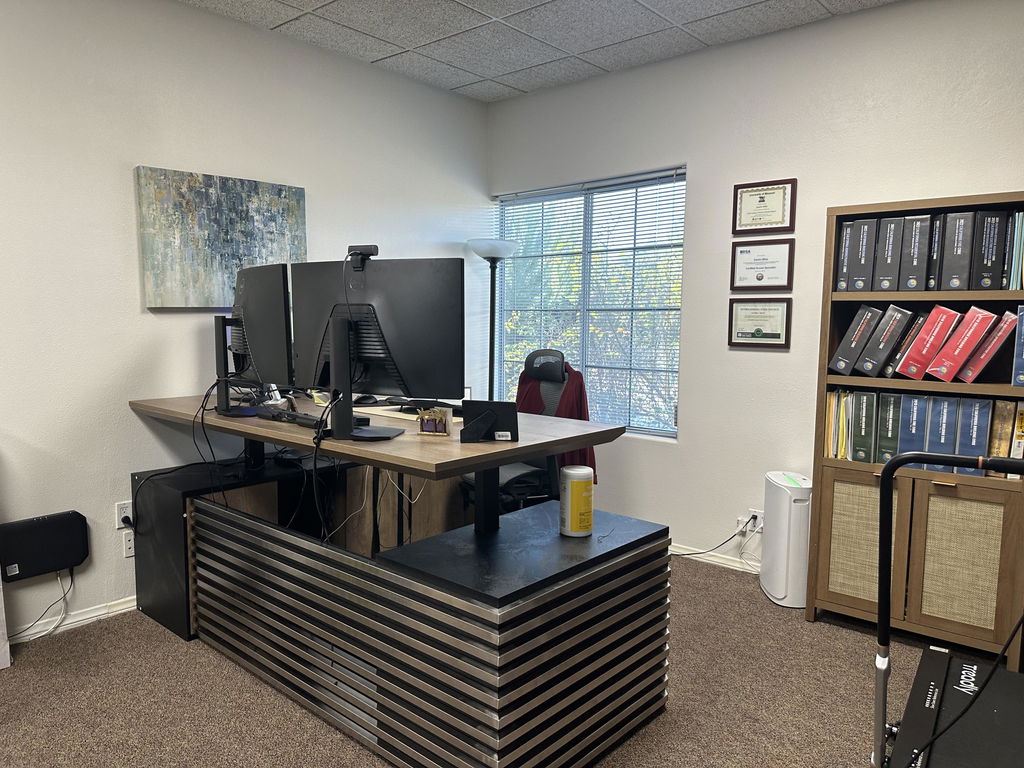
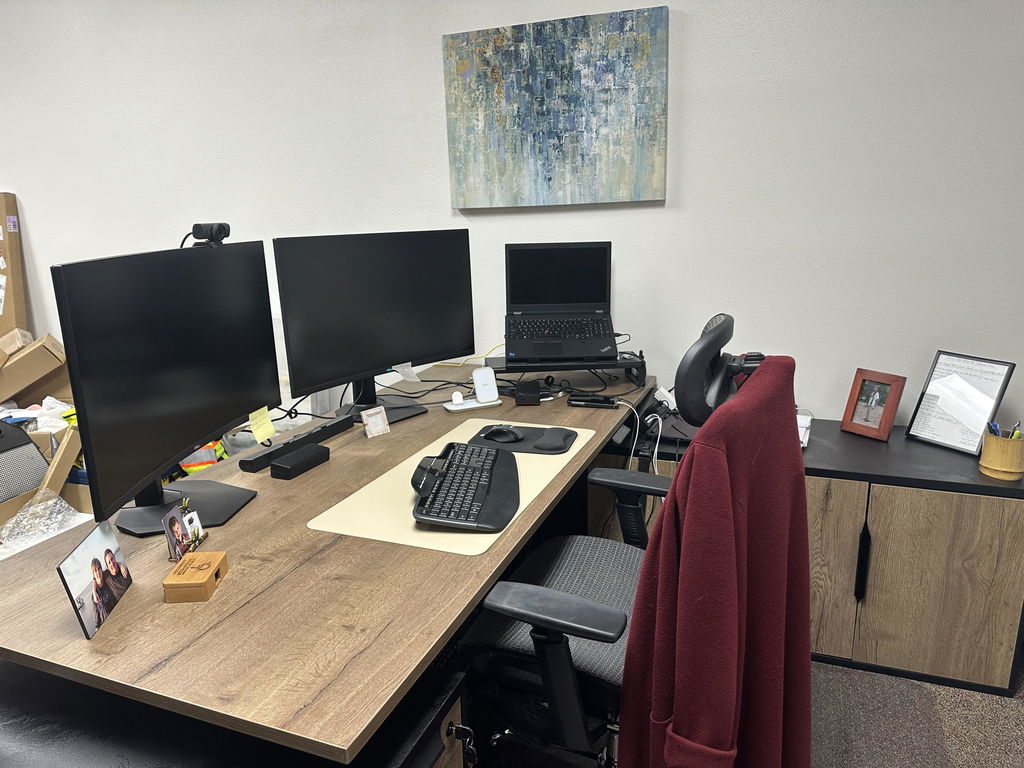
The upgrades that change a home office most are the ones you touch all day: an ergonomic chair with real lumbar support, a desk at the right working height, and a monitor raised to eye level. After those, good lighting and a reliable connection do the most for focus and video calls, and most cost less than a single chiropractor visit.
As remote work becomes permanent, investing in your workspace is not just about comfort: it is about productivity, health, and the professional image you project on every call. Whether you are fighting back pain from a kitchen chair, poor lighting on video, or an uninspiring setup, the right upgrades fix it without breaking the bank. Here are the changes that make the biggest impact.
Working from home has real perks, but a poorly designed workspace leads to backaches, eye strain, and productivity slumps. The right upgrades can:
The best part: you do not need to spend a fortune. Many impactful home office desks and accessories cost less than a single visit to the chiropractor.

If you upgrade just one thing, make it your chair. An ergonomic office chair with proper lumbar support, adjustable height, and comfortable armrests changes how you feel at the end of each day. Look for:
Prices vary by region and quality, but options from around $200 are a significant step up from a dining chair or worn-out office seat.

Sitting all day is hard on your body. A standing desk lets you change posture through the day, which can help:
You do not always need to replace the whole desk: a height-adjustable desk with mobile storage or a converter that sits on top will raise your screen to standing height when needed.
A laptop screen that forces you to look down all day causes neck strain. Fix it with:
Position the top of the monitor at or slightly below eye level, with the screen center about 15 to 20 degrees below horizontal, and keep frequent viewing within 35 degrees left or right.
OSHA — Computer Workstations eTool
Few things kill productivity faster than a spotty connection. Consider:
These reduce frustration and improve meeting quality, which translates to time saved and better outcomes.
The tiny camera on your laptop rarely does you justice. For video calls:
Better call quality means more professional interactions and far less “can you repeat that?” fatigue.
Tangled cords create visual chaos and mental distraction. Simple fixes:
A tidier desk means a tidier mind, and less time spent untangling things.
Natural light works wonders for mood and productivity, but it is not always available. Smart lighting upgrades include:
Good lighting reduces eye strain and headaches while making you look better on camera. Put your main light source in front of you, not behind, for video calls.

Clutter is the enemy of focus. These upgrades tame the paper beast:
The goal is not to hide clutter: it is to build systems that stop it accumulating in the first place.
Your workspace should feel good to be in. These quality-of-life touches make a real difference:
These make your office somewhere you want to be, not somewhere you have to be.
You do not need to spend a fortune. Start small, fix your biggest pain point first, then build up as the budget allows.
Home office upgrade budget tiers
| Tier | Typical spend | What it covers |
|---|---|---|
| Quick wins | Under $50 each | Footrest, desk pad, bias lighting, document holder, blue-light glasses |
| Essentials | $300–500 | An ergonomic chair plus a monitor or laptop stand at the right height |
| Full overhaul | $1,000–2,000 | Desk, storage, lighting, webcam, and connectivity together |
Costs vary by location and existing setup: treat these as starting ranges, not fixed prices.
Not sure where to start? Work in this order:
Listen to your body, it will tell you what needs fixing first.
Set the desk height before buying anything else. The measurements are in ergonomic desk height and setup.
Start with the essentials that address your biggest pain points, then add improvements as the budget allows: the returns show up in health, productivity, and how you feel about the work. For pieces built to last, any Arc Grove® executive desk can be made to your exact dimensions and finish.
Related articles
Executive Desks & Offices
At the executive level, the material makes the desk. What distinguishes wood veneer, solid wood, and stone, and how to...
Read more →
Executive Desks & Offices
With more than 150 finishes to choose from, the way to a coordinated office is a simple sequence: pick one...
Read more →
Executive Desks & Offices
A home executive office should be as considered as the one at headquarters. How to design a serious, presence-carrying space...
Read more →